
Lamb Art Studio for Kids
Review
This digital coloring book succeeds by stripping away all distractions. The focus stays on the simple joy of filling shapes with color. Young children quickly grasp the tap-to-fill mechanic, and the undo button removes any frustration. The lamb themes are consistently charming, with enough variety to maintain interest. Parents will appreciate the complete absence of ads or external links. While it won't challenge older kids, for its target audience of preschoolers and early elementary children, it provides a genuinely relaxing and productive play experience that encourages artistic confidence.
Full story
Creative Canvas for Young Artists
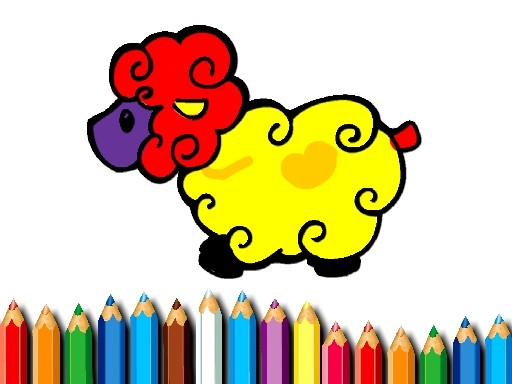
This application provides a selection of lamb-themed outlines that children can fill with color using an intuitive touch interface. Each illustration features clear boundaries and large sections, making it easy for small fingers to stay within the lines. The digital format eliminates the need for physical supplies like crayons or markers, allowing for unlimited experimentation without waste. Children can explore color mixing by layering shades or quickly switching between hues to see how different combinations affect the final image. This process encourages visual thinking and decision-making in a low-pressure environment.
Simple Controls for Little Hands
Navigating the coloring tools requires no reading or complex instructions. A palette of pre-selected colors appears on the screen, and tapping any shade immediately activates it for use. To apply color, players simply tap or drag their finger over the desired area. An undo button lets them reverse the last action, which supports trial-and-error learning. The interface remains uncluttered, with large buttons that respond to light touches. This design ensures that even very young children can operate the game without adult assistance, fostering a sense of independence.
Safe and Focused Play Space
All content within this activity has been curated to be appropriate for children under 13. There are no external links, advertisements, or in-app purchases that could distract or lead to unintended content. The game does not collect personal information or require any form of registration. This creates a secure digital environment where parents can feel confident leaving their child to play. The focus remains solely on the creative task, free from pop-ups or prompts that might interrupt the flow of concentration.
Sharing and Displaying Artwork
Once a picture is finished, the game offers options to save the image to the device or print it directly. This allows children to build a personal gallery of their creations or share physical copies with family and friends. The printing feature works with standard home printers, making it easy to hang artwork on the refrigerator or give as handmade gifts. Saving digital copies also lets children revisit and compare their progress over time, which can boost confidence and provide a tangible record of their developing artistic skills.
Encouraging Color Exploration
The activity naturally promotes experimentation by allowing unlimited color changes. A child might start with a realistic white lamb, then try a blue or purple version just to see the effect. This freedom helps develop an understanding of color theory in a playful context. The absence of time limits or scoring means there is no pressure to finish quickly, so children can spend as long as they like perfecting each section. Such an open-ended approach supports sustained attention and patience, qualities that benefit learning in other areas.







Reader Comments
Sign in to comment
You must be logged in before posting a review or rating.
No account? Create one
No comments yet. Be the first to comment!