
Reviews
Heavenly Fashion Creator offers a peaceful alternative to competitive dress-up games. The two characters have distinct looks, and the wardrobe provides enough variety to keep experimentation interesting. The lack of timers or scores removes all pressure, letting you focus purely on aesthetics. Controls are responsive on both desktop and mobile, and the angelic theme adds a unique charm. It is an ideal choice for anyone seeking a low-stress creative outlet.
About this game
Character Customization Basics
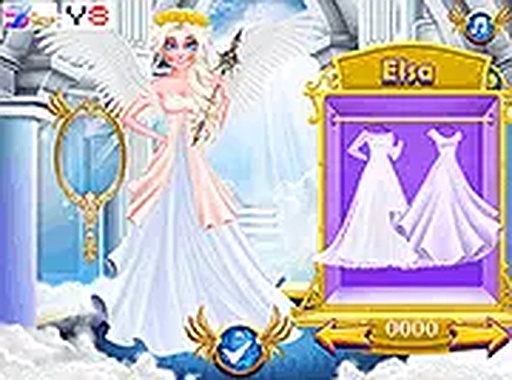
Players begin by selecting one of two winged characters to style. Each character has a distinct appearance with detailed facial features and large wings. The wardrobe offers a variety of tops, bottoms, dresses, and wing options. You can mix and match these items freely, experimenting with different combinations to achieve a look that feels complete.
Wardrobe Navigation
The interface displays clothing categories along the side or bottom of the screen. Tapping or clicking a category opens a selection of items. Each item appears on the character instantly, allowing quick comparisons. You can switch between characters at any time and adjust outfits repeatedly until you are satisfied.
Creative Freedom Without Limits
There are no goals, timers, or scoring systems. The entire experience focuses on personal expression. You can spend a few moments trying one outfit or spend longer exploring every possible combination. This open-ended design encourages experimentation with colors and patterns.
Visual Design and Atmosphere
The visuals are bright and cheerful, with detailed wings and clothing textures. The angelic theme runs throughout, from the character designs to the background elements. The overall tone is calm and inviting, making it suitable for short breaks or extended creative sessions.
Accessibility and Platform Support
The game runs directly in a browser without any download. It works on both desktop computers and mobile devices. Touch controls on phones and tablets allow tapping to select items, while mouse users can click. Full screen mode is available for a larger view.
Sharing Your Creations
Once you finish styling a character, you can capture a screenshot of your final design. This lets you save your favorite looks or share them with friends. The simple process of creating and saving outfits adds a rewarding layer to the experience.


Comments
Sign in to leave a review
No account? Create one
No comments yet.