Daily Edition
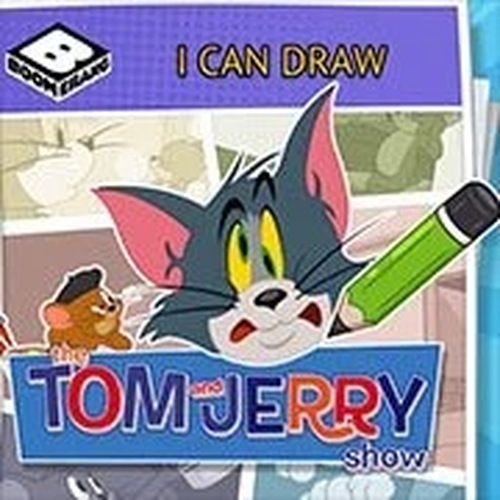
Tom and Jerry Drawing Art Game

Tom and Jerry Drawing Art Game

Casual Creative
Developer: Square Vanguard
Published: 2025-08-06
Updated: 2026-06-06

Review

I Can Draw: Tom and Jerry provides a straightforward drawing experience with no distractions. The tools are easy to use, and the lack of time limits allows for unhurried creativity. It is a safe choice for children, with no ads or inappropriate content. The ability to save and share artwork adds replay value. While basic, it effectively encourages artistic exploration in a familiar cartoon world.

Full story

Game Introduction

I Can Draw: Tom and Jerry is a family-friendly drawing game that invites players to create artwork featuring the beloved cat and mouse duo. The game provides a safe, creative environment with no violence or inappropriate content. Players can choose from various characters and scenes, then use pencils, brushes, and a color palette to bring their ideas to life. Designed for all ages, it encourages imagination and fine motor skills while offering a relaxing experience. Whether you are a beginner or an experienced artist, this game focuses on fun and creativity. The goal is simply to enjoy the process of drawing.

How to Play

To play, start by selecting your favorite Tom and Jerry character or a scene to draw. Use the on-screen drawing tools, including pencils and brushes, along with a palette of colors. You can adjust tool size and opacity for detailed work. The controls are intuitive, making it easy for kids and adults to begin. There are no complex rules or time limits, so you can draw at your own pace. Once finished, save your artwork or share it with friends and family.

Game Features

This game includes a friendly drawing experience with Tom and Jerry characters. It offers easy-to-use tools like pencils and brushes. The environment is safe and creative for all ages. Players can save and share their artwork. There are no time limits or complex rules, allowing for relaxed play.

Tips for Success

Take your time exploring the drawing tools and color palette to see what effects you can create. Start with simple shapes and outlines before adding details. Experiment with different brush sizes and opacity for varied textures. Practice regularly to improve your control and creativity. Most importantly, enjoy the process and have fun with your drawings.

✅ Compatibility & Testing

• Desktop (Windows 11, macOS Ventura)
• Mobile (iPhone 14, Samsung Galaxy S23)
• Tablet (iPad Pro, Android tablet)
✅Supported browsers: Chrome, Safari, Edge, Firefox (latest versions)
❌ Not supported: Internet Explorer, older browser versions
FAQ
Is this game suitable for young children?
Yes, the game is designed for all ages. It has a safe, non-violent environment with no inappropriate content. The simple controls and lack of time limits make it especially suitable for young children who are learning to use digital tools.
Do I need any drawing experience to play?
No, the game is made for beginners and experienced artists alike. The tools are intuitive, and there are no complex rules. You can draw at your own pace and focus on having fun, regardless of your skill level.
Can I save my drawings?
Yes, you can save your artwork within the game. This allows you to keep a collection of your creations and come back to them later. You may also have the option to share your drawings with friends and family.
What characters are available to draw?
The game features various characters and scenes from the Tom and Jerry universe. While specific characters are not listed, you can expect to draw popular ones like Tom the cat and Jerry the mouse, along with other familiar elements from the cartoon.
Are there any time limits or scores?
No, there are no time limits or scores in this game. It is a relaxed, pressure-free drawing experience. You can take as long as you like to complete your artwork, making it a calming activity.
Can I undo mistakes while drawing?
The game likely includes basic undo or erase functions, as these are common in drawing applications. This allows you to correct mistakes or try different approaches without starting over. Check the tool options for eraser or undo features.
Advertisement

Recommended Games

Empire Bubble Shooter

Officer Chase: Rooftop Rescue Run

Roundabout Orchard Puzzle Adventure

We Bare Bears Platform Adventure

Scooby-Doo Food Frenzy Arcade

FNF Pibby Corrupted Hero Remix Rhythm Game

Cartoon Hero Online Adventure Game

Glitch TV Lords of Loot Arcade

Agent P Secret Agent Puzzle Adventure